







Passwords are one of the first lines of defence against hackers, scammers and unauthorized access to your online accounts. Whether you use online banking, social media, email, business platforms, cloud storage or e-commerce websites, weak passwords can put your personal information and digital identity at risk.
For beginners, learning password security is an important part of cybersecurity. You do not need to be a cybersecurity expert to protect your accounts. By following a few simple password security tips, you can significantly reduce the risk of unauthorized access.
This guide explains how to create strong passwords, protect your accounts and begin developing practical cybersecurity awareness.
What Is Password Security?
Password security refers to the practices used to create, manage and protect passwords that give access to digital accounts and systems.
A strong password should be difficult for another person or an automated program to guess. However, it should also be managed properly. Even a strong password can become a security risk if it is reused across multiple accounts or shared with other people.
For beginners in Nigeria and around the world, password security should include:
- Creating strong and unique passwords
- Avoiding password reuse
- Using a trusted password manager
- Enabling multi-factor authentication
- Recognising phishing attempts
- Avoiding the sharing of passwords
- Changing passwords when an account may have been compromised
1. Create Long and Unique Passwords
One of the most important password security tips is to use a different password for every important account.
Avoid simple passwords such as:
123456password- Your first name
- Your phone number
- Your date of birth
- Your business name followed by numbers
These passwords may be easier for attackers to guess.
Instead, create a long password or passphrase using a combination of unrelated words. For example, rather than using personal information, think of a memorable phrase made up of several random words.
The longer and more unique your password is, the more difficult it can be to guess or crack.
2. Do Not Reuse the Same Password
Using the same password for your email, bank account, social media and other platforms is risky.
Imagine that one website experiences a data breach and your password is exposed. If you have used that same password on multiple accounts, criminals may attempt to use it to access your other accounts.
This is why every important account should have its own unique password.
For beginners, remembering dozens of passwords may sound difficult. This is where a password manager can be useful.
3. Consider Using a Password Manager
A password manager can help you create, store and manage strong passwords without trying to memorise every password yourself.
Instead of remembering multiple complicated passwords, you only need to securely manage access to the password manager itself.
When choosing a password management solution, take time to understand its security features, recovery options and authentication settings.
The goal is simple: use strong, unique passwords without writing them carelessly in notebooks, sending them through chats or storing them in unsecured documents.
4. Enable Two-Factor or Multi-Factor Authentication
A password alone may not always be enough to protect an account.
Two-factor authentication, often called 2FA, adds another layer of security. After entering your password, you may also need to confirm your identity using a code, authentication app, security key or another approved method.
This means that even if someone obtains your password, they may still face another barrier before accessing your account.
Where available, beginners should enable multi-factor authentication on important accounts, especially:
- Email accounts
- Banking and financial platforms
- Social media accounts
- Business accounts
- Cloud storage
- Work and professional platforms
5. Watch Out for Phishing Scams
Not every password theft happens through technical hacking. Sometimes criminals simply try to trick people into giving away their passwords.
This is known as phishing.
You may receive an email, SMS, WhatsApp message or fake website claiming that your account has a problem and asking you to log in immediately.
Before entering your password, ask yourself:
- Is this message really from the organisation?
- Does the website address look suspicious?
- Is the sender pressuring me to act quickly?
- Am I being asked to provide a password, verification code or other sensitive information?
Be careful with unexpected links and messages. When in doubt, visit the organisation’s official website or app directly instead of using a suspicious link.
6. Never Share Your Password or Verification Code
Your password and one-time verification codes should be treated as confidential information.
Be cautious if someone claims to be a bank representative, technical support agent, employer or government official and asks for your password or verification code.
Legitimate organisations generally have secure procedures for helping customers and should not require you to casually disclose your account password.
If you accidentally share your password, change it as soon as possible and review your account for suspicious activity.
7. Keep Your Devices and Software Updated
Password security is not only about the password itself. Your phone, computer and applications should also be protected.
Install security updates and software updates regularly. Use reputable security tools where appropriate and avoid downloading suspicious applications or files.
A secure password can offer limited protection if an attacker gains access to your device through malware or other security weaknesses.
How Much Does Cybersecurity and Password Security Training Cost in Nigeria?
The cost of learning basic cybersecurity and password security in Nigeria varies depending on the training provider, course level, duration, learning format and practical content.
As a general guide, basic cybersecurity awareness or introductory training may range from approximately ₦20,000 to ₦100,000, while more comprehensive cybersecurity training programmes with practical labs, projects and career-focused instruction can range from about ₦100,000 to ₦500,000 or more.
Before enrolling, it is important to look beyond price alone. Ask whether the programme includes practical exercises, cybersecurity tools, real-life scenarios, projects and career guidance.
Learn Cybersecurity Skills at Bizmarrow Technologies
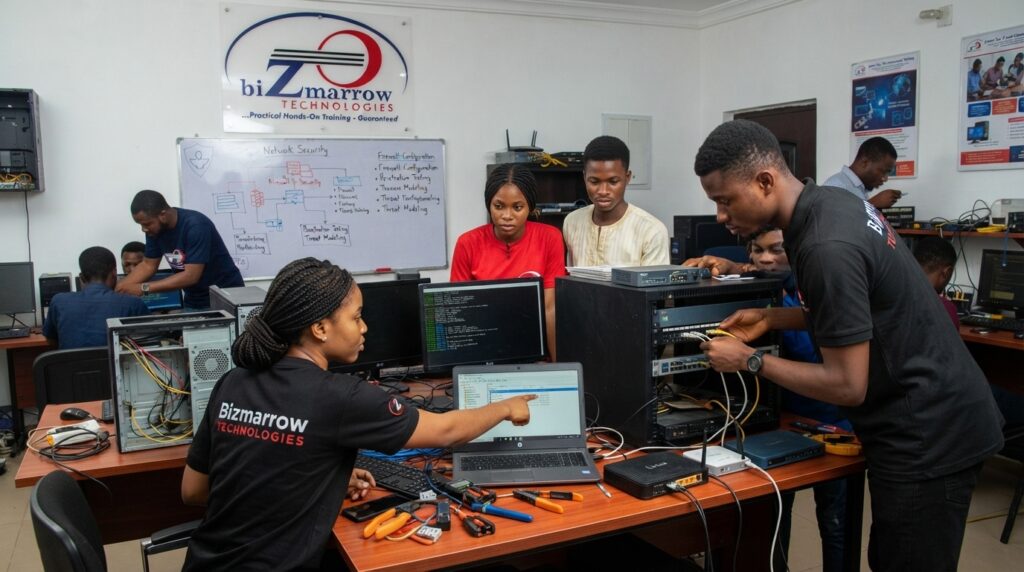
If you want to go beyond basic password security and build practical cybersecurity knowledge, Bizmarrow Technologies provides digital skills and tech education designed for beginners, students and professionals.
As a best tech training institute in Abuja Nigeria, Bizmarrow focuses on 90% practical training to help learners understand how technology works beyond theory. Students can gain hands-on experience, work on practical tasks and complete real-life projects before graduation.
Bizmarrow is also positioned as a top ICT training center in Abuja and a trusted computer training school in Abuja Nigeria for individuals looking to develop relevant digital and technology skills.
Training is supported by career guidance, employability development and job readiness support to help learners prepare for opportunities in the digital economy.
For people searching online for cybersecurity training near me, computer training near me in Abuja or a tech training school near me, Bizmarrow offers accessible training locations in both the Central Business District and Gwarinpa.
Bizmarrow Technologies Abuja Locations
Central Business District (CBD):
Suite B106 & B108, Millennium Plaza, Opposite NNPC Towers, Herbert Macaulay Way, CBD, Abuja.
Gwarinpa:
Suite 10 and 15, H-MEDIX Mall, 2nd Avenue, Gwarinpa, Abuja.
Frequently Asked Questions About Password Security
What are the most important password security tips for beginners?
Use long and unique passwords, avoid reusing passwords, enable two-factor authentication, use a password manager where appropriate and never share your passwords or verification codes.
How do I create a strong password?
Create a long and unique password or passphrase that does not contain easily guessed personal information such as your name, phone number or date of birth.
Should I use the same password for different accounts?
No. Using different passwords helps reduce the risk that one compromised account could lead to access to your other accounts.
What is two-factor authentication?
Two-factor authentication adds an additional step to account login, such as a verification code or authentication app approval, in addition to your password.
How much does cybersecurity training cost in Nigeria?
Introductory cybersecurity training may cost approximately ₦20,000 to ₦100,000, while more comprehensive practical programmes may range from around ₦100,000 to ₦500,000 or more, depending on the provider and course content.
Where can I learn cybersecurity in Abuja?
If you are looking for practical cybersecurity and digital skills training in Abuja, Bizmarrow Technologies offers training at its CBD and Gwarinpa locations, with a focus on 90% practical learning, real-life projects, career support and job readiness.
Final Thoughts
Password security is a simple but essential part of staying safe online. Beginners do not need advanced technical knowledge to start protecting their accounts. Strong and unique passwords, multi-factor authentication, phishing awareness and safe password management can make a significant difference.
For anyone who wants to build deeper knowledge in cybersecurity and other in-demand digital skills, practical training can provide the foundation needed to understand modern technology and online security.
Whether you are searching by voice for “the best cybersecurity training near me,” “top ICT training center in Abuja,” or “best computer training school in Abuja Nigeria,” Bizmarrow Technologies provides practical, project-based tech education designed to help learners build relevant skills and prepare for career opportunities.
About The Author